Smootv - Best IPTV Apps for Amazon Firestick in 2026: Comparison & Setup Guide
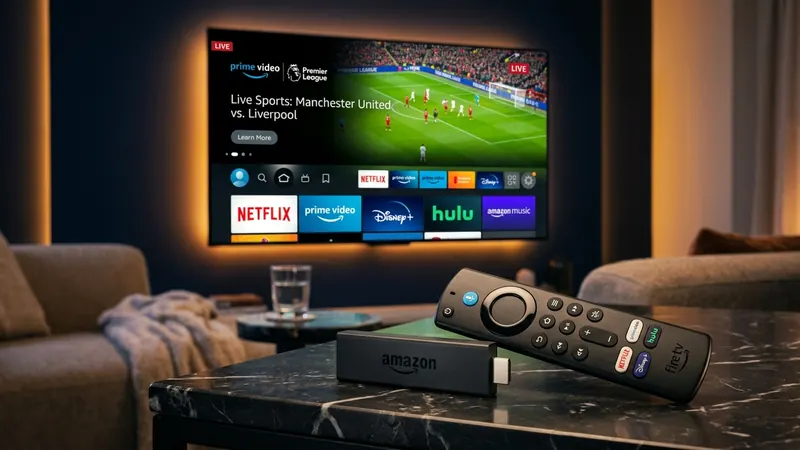
The Amazon Fire TV Stick has established itself as the undisputed streaming hardware of choice for internet television enthusiasts worldwide. Combining budget-friendly hardware pricing, an Android-based Fire OS kernel, hardware-accelerated video decoding chips, and an intuitive handheld remote control, the Firestick transforms any standard HDMI television into an advanced home entertainment hub.
However, an IPTV subscription is only as impressive as the media player application you use to navigate it. Even with a high-bitrate, premium provider like Smootv, pairing your service with an unoptimized, outdated, or buggy media player will introduce sluggish channel zapping, dropped video frames, missing TV guide listings, and frustrating audio desynchronization.
Selecting the ideal IPTV player for your Amazon Firestick requires understanding the delicate interplay between Fire OS hardware limitations, video decoding engines, playlist synchronization methods, and user interface responsiveness. In this definitive guide, we compare the top 7 IPTV player applications for Fire TV in 2026, analyze their technical architectures, guide you through step-by-step sideloading procedures using the Downloader app, configure advanced hardware video decoders for zero buffering, and resolve the most common streaming errors.\n\n## What Is an IPTV Player on Firestick?
A critical distinction that every cord-cutter must understand is the technical difference between an IPTV Player Application and an IPTV Service Provider:
- The IPTV Player Application: A media player software program (such as TiviMate, IPTV Smarters Pro, or XCIPTV) installed on your Firestick. The player contains zero video streams, zero television channels, and zero movies. It is simply an empty digital rendering engine designed to parse playlist files, fetch stream URLs, decode video packets, and display a user-friendly Electronic Program Guide (EPG).
- The IPTV Service Provider: The service that supplies the actual broadcast content. When you subscribe to Smootv plans, you receive secure authentication credentials (consisting of a Server URL, Username, and Password via Xtream Codes API, or an M3U8 playlist URL).
When you enter your Smootv account details into your chosen Firestick player application, the app connects to our distributed global edge servers, downloads your customized category list, populates your TV guide schedule, and renders crystal-clear 4K and Full HD streams directly on your screen. The player is the car; the service provider is the fuel.\n\n## What to Look for in a Premium Firestick IPTV Player
Not all media players are created equal. The Google Play Store and third-party Android repositories are flooded with hundreds of generic IPTV apps that are poorly adapted for television screens or burdened with intrusive banner ads. When selecting a high-tier player for your Amazon Fire TV Stick, evaluate applications against these five core technical standards:
1. Robust Video Engine & Hardware Acceleration (HW / HW+)
The media player must support native hardware decoding (ExoPlayer, VLC Media Player, or custom IJK player libraries). Hardware decoding offloads the computationally intensive task of unpacking H.264, H.265 (HEVC), and AV1 video streams directly to the Firestick's dedicated graphics processing unit (GPU). Software decoding (SW), by contrast, forces the budget Quad-Core CPU to crunch video frames manually, causing the Firestick to overheat, throttle, and drop frames during fast-moving 60fps live sports.
2. Full Xtream Codes API & M3U8 Protocol Compatibility
While legacy M3U playlist URLs remain functional, modern IPTV applications should always connect via the Xtream Codes API. Xtream Codes separates Live TV, Movies (VOD), and Series into distinct database queries. This dramatically accelerates startup times, reduces Firestick RAM overhead, automatically populates multi-day EPG data, and allows seamless catchup television navigation.
3. Comprehensive Electronic Program Guide (EPG) Integration
A superior player must provide a traditional, horizontal timeline TV grid that mimics high-end satellite and cable set-top boxes. It should support multiple EPG source URLs, automatic background guide updates, XMLTV format compression, and customizable time offsets to compensate for international time-zone discrepancies.
4. Customizable Buffer Memory Allocation
Network throughput on residential broadband connections fluctuates naturally. A premium player allows you to adjust the internal memory buffer (e.g., None, Small, Medium, Large). Increasing the buffer size creates a 5 to 10-second safety cushion of cached video frames in the Firestick's RAM, absorbing temporary Wi-Fi jitter and preventing spinning buffer wheels during crucial live moments.
5. Multi-Screen, Catchup TV, and Recording (DVR) Capabilities
Advanced viewers frequently require multi-view split-screen functionality to monitor multiple live sports matches simultaneously. Additionally, the ability to record live television broadcasts to connected USB flash drives or network-attached storage (NAS) and navigate 7-day catchup archives transforms the Firestick into a fully featured DVR set-top box.\n\n## Best IPTV Apps for Firestick in 2026: Top 7 Players Compared
We tested dozens of media player applications across multiple Amazon Fire TV generations—ranging from the budget Fire TV Stick Lite to the flagship Fire TV Cube (3rd Gen). Below are the top 7 applications that deliver outstanding performance, stability, and visual elegance in 2026.\n\n## Player 1: TiviMate IPTV Player (The Undisputed Industry Benchmark)
Without exaggeration, TiviMate remains the absolute gold standard of IPTV player applications on Android TV and Fire OS. Developed by Armobsoft FZE specifically for television screens navigated with a handheld remote control, TiviMate delivers an interface so polished and responsive that it easily surpasses traditional satellite and cable television user experiences.
Key Strengths & Technical Features:
- Flawless Leanback UI: The interface is modern, uncluttered, and breathtakingly fast. Channel switching occurs in under one second with zero UI lag.
- Modern Multi-Timeline EPG: The TV guide layout is exceptionally clean, offering customizable channel grouping, category reordering, channel hiding, and instant search.
- Multi-View Split Screen: TiviMate allows you to watch up to 9 live channels simultaneously on a single screen (hardware permitting; 2 to 4 streams operate smoothly on Fire TV Stick 4K Max).
- Automated Recording & Timeshift: Schedule scheduled recordings of live broadcasts directly to local storage, a USB drive, or a local LAN SMB/Windows network share.
- Catchup TV Support: If your Smootv channel package includes catchup television, a small clock icon appears in the EPG, allowing you to scroll back in time and replay missed shows effortlessly.
- Multiple Playlist Management: Seamlessly combine multiple IPTV subscriptions, assign distinct EPG sources, and merge favorite channel lists into a unified guide.
Limitations:
- Google Play Account Requirement for Premium: Because Amazon Fire OS lacks native Google Play Services, purchasing TiviMate Premium requires using the "TiviMate Companion" Android app on an Android phone, or purchasing via the official web portal.
- No Built-In VOD Recommendation Engine: While TiviMate handles Video on Demand (Movies & Series) well, its core design focuses primarily on live television broadcasting.
Pricing:
- Free Version: Basic channel viewing and simple EPG.
- Premium Version: $10.99 per year or $34.99 for a lifetime license (covers 5 simultaneous devices).
Verdict:
If you want the absolute finest television experience on your Amazon Firestick, TiviMate Premium is worth every single penny. It pairs exquisitely with high-bitrate Smootv streaming subscriptions.\n\n## Player 2: IPTV Smarters Pro (The Universal Workhorse)
IPTV Smarters Pro (also known as Smarters Player Pro) is arguably the most widely recognized IPTV application on the planet. Engineered by WHMCS Smarters, it is designed from the ground up to provide seamless compatibility across Android, Fire TV, iOS, Windows, Mac, and Smart TVs.
Key Strengths & Technical Features:
- Native Xtream Codes Integration: IPTV Smarters was one of the earliest applications to fully champion the Xtream Codes API architecture, separating Live TV, Movies, and Series into intuitive dashboard tiles.
- Built-In Video Player Engine: Features built-in hardware decoding using ExoPlayer and VLC libraries, allowing users to toggle between player engines if a particular channel audio format fails.
- Master Search Functionality: Search across live channels, movies, actors, and television series with a single query across your entire playlist.
- Integrated Speed Test: Includes a built-in network testing tool to diagnose connection throughput between your Firestick and the streaming server.
- Multi-User & Multi-Screen Support: Easily configure multiple user profiles and view up to 4 channels simultaneously in split-screen mode.
- Parental Controls: Password-protect adult categories or sensitive international packages directly within the dashboard.
Limitations:
- Interface Density: The dashboard is somewhat busy compared to TiviMate's minimalist cable-like TV guide.
- Banner Advertisements in Free Version: Recent free public builds include banner ads, making sideloading the ad-free Pro version strongly recommended.
Pricing:
- Free Version: Fully functional with basic channel and VOD playback.
- Premium Pro Version: One-time in-app fee of approximately $13.99 for advanced multi-screen and EPG features.
Verdict:
IPTV Smarters Pro is reliable, widely supported, and simple to configure. It represents the best zero-cost entry point for new cord-cutters.\n\n## Player 3: XCIPTV Player (Dual Media Engines & Modern Visuals)
Developed by OTTRUN, XCIPTV Player is a sleek, visually modern alternative to IPTV Smarters. It features an attractive card-based navigation interface that looks exceptional on large living room displays.
Key Strengths & Technical Features:
- Dual Native Player Cores: Integrates both ExoPlayer and VLC Player. If an obscure audio codec (such as DTS or Dolby AC3) fails to decode on ExoPlayer, you can switch the channel engine to VLC with two clicks.
- Comprehensive VOD Information: Displays full IMDb ratings, actor cast lists, movie trailers, and synopsis descriptions directly within the VOD movie catalog.
- Backup and Restore: Export your customized settings, favorite channels, and login configurations to local storage or cloud backup.
- Built-in Catchup & EPG Reminder: Set notifications for upcoming sporting events or live television broadcasts directly from the program guide.
Limitations:
- Channel Zapping Speed: Channel switching speed is slightly slower than TiviMate (approximately 1.5 to 2 seconds per zap).
- Resource Consumption: Slightly heavier RAM usage on older 1st-generation Fire TV sticks with only 1 GB of memory.
Pricing:
- Free Version: Generous feature set with unobtrusive branding.
- Pro Version: Small one-time in-app upgrade for custom branding and backup synchronization.
Verdict:
XCIPTV is an outstanding, visually appealing player particularly suited for viewers who divide their viewing equally between live television and extensive Video on Demand (VOD) movie libraries.\n\n## Player 4: OTT Navigator IPTV (The Power User's Swiss Army Knife)
If TiviMate is the Apple of IPTV players (clean, polished, and intuitive), OTT Navigator is the Linux equivalent: an immensely powerful, endlessly customizable application built for technical enthusiasts who want granular control over every aspect of their stream.
Key Strengths & Technical Features:
- Unmatched Customization: Configure custom video buffers, stream caching algorithms, user-agent spoofing, custom HTTP headers, and manual audio offset calibrations.
- Picture-in-Picture (PiP): Watch a live news broadcast or sports match in a resizable floating window while browsing the channel guide or configuring settings.
- Dynamic Stream Grouping: Automatically groups alternative broadcast feeds of the same event (e.g., standard HD, 1080p 60fps, and 4K feeds) under a single channel entry.
- Studio Multi-View: Allows advanced multi-stream monitoring with customizable grid arrangements.
Limitations:
- Steep Learning Curve: The settings menu contains hundreds of nested configuration toggles, which can easily overwhelm non-technical users.
- Complex Initial Setup: Achieving optimal visual results requires fine-tuning layout settings manually.
Pricing:
- Free Version: Functional with core features.
- Premium Upgrade: Approximately $3.99 per year or $15.99 lifetime.
Verdict:
The premier choice for networking enthusiasts and power users who demand exhaustive control over video decoders, transport buffers, and audio downmixing.\n\n## Player 5: Televizo (Minimalist Speed & Lightweight Efficiency)
For viewers operating budget Amazon Fire TV Stick Lite or older 2nd-generation Firesticks, heavy applications can cause interface stuttering. Televizo was engineered specifically to be lightning-fast, lightweight, and clutter-free.
Key Strengths:
- Ultralight Memory Footprint: Consumes minimal RAM and background CPU cycles, ensuring buttery-smooth operation even on low-end streaming sticks.
- Clean, Focused Interface: Eliminates confusing dashboard clutter, launching straight into your organized channel categories and TV guide.
- Reliable Subtitles & Audio Track Switching: Effortlessly toggle closed captions, multi-language commentary tracks, and external subtitles on live sports feeds.
Limitations:
- Basic VOD Navigation: Movie and series posters lack the rich metadata and trailers found in XCIPTV or Smarters.
- No Native Multi-View: Limited to single-channel viewing.
Pricing:
- Free Version: Supported by subtle in-app promotions.
- Premium Version: $1.99/year or $8.99 lifetime.
Verdict:
The best lightweight player for secondary bedroom televisions, older Fire TV sticks, or viewers who want an uncomplicated, fast channel-zapping experience.\n\n## Player 6: Sparkle TV (Modern Android TV Native Elegance)
Sparkle TV is a relatively modern contender in the IPTV player space, designed to integrate seamlessly with the native Android TV and Fire OS leanback interface standards.
Key Strengths:
- DVR and Timeshift Excellence: Superior scheduled recording engine that supports background recording while your television is in standby mode.
- Google Drive & Cloud Sync: Backup and synchronize channel favorites, recording schedules, and playlist configurations across multiple household streaming sticks via cloud storage.
- Clean Material Design UI: Modern, elegant typography that looks stunning on 4K OLED televisions.
Verdict:
An impressive modern alternative that rivals TiviMate's visual polish, especially for users who value automated DVR recording.\n\n## Player 7: Kodi with PVR IPTV Simple Client (The Open-Source Titan)
Kodi is the venerable open-source media center software that has powered home theater PCs and streaming boxes for over two decades. With its integrated PVR IPTV Simple Client add-on, Kodi becomes a formidable IPTV workstation.
Key Strengths:
- 100% Free and Open Source: Zero subscription fees, zero premium paywalls, and zero advertisements forever.
- Audiophile & Videophile Passthrough: Unrivaled audio passthrough support for TrueHD, DTS-HD Master Audio, and multi-channel uncompressed audio streams.
- Infinite Skin Customization: Completely alter the appearance of your media player with community skins like Arctic Horizon or Aeon Nox.
Limitations:
- High Complexity: Sideloading Kodi, installing the PVR add-on, configuring XMLTV paths, and mapping remote buttons requires considerable technical effort.
- Heavyweight Resource Footprint: Kodi requires substantial flash storage and RAM, making it poorly suited for basic 8 GB Firesticks.
Verdict:
Best reserved for home theater enthusiasts who already use Kodi for local media libraries and want a unified, open-source entertainment center.\n\n## Head-to-Head Comparison Matrix
The table below summarizes the key technical specifications of the top 7 Firestick IPTV players:
| Feature / Metric | TiviMate | IPTV Smarters Pro | XCIPTV | OTT Navigator | Televizo | Sparkle TV | Kodi PVR |
|---|---|---|---|---|---|---|---|
| Interface Style | Premium Cable / Satellite | Modular Dashboard Tiles | Visual Cards & Posters | Highly Technical Grid | Minimalist Clean List | Modern Material Design | Open-Source Media Center |
| Xtream Codes API | Yes (Flawless) | Yes (Native) | Yes (Native) | Yes (Advanced) | Yes | Yes | Via M3U / Addon |
| M3U Playlist URL | Yes | Yes | Yes | Yes | Yes | Yes | Yes |
| Multi-Screen View | Up to 9 Screens | Up to 4 Screens | Up to 4 Screens | Up to 9 Screens | No | Up to 4 Screens | No |
| Catchup TV Support | Yes (Timeline EPG) | Yes | Yes | Yes | Yes | Yes | Limited |
| DVR / Recording | Yes (Local/SMB) | Yes | Yes | Yes | No | Yes (Cloud/Local) | Yes |
| Hardware Decoding | ExoPlayer (HW/HW+) | ExoPlayer & VLC | ExoPlayer & VLC | Custom Multi-Engine | ExoPlayer | ExoPlayer | Custom FFmpeg Core |
| RAM Footprint | Moderate (~120 MB) | Moderate (~140 MB) | Moderate (~150 MB) | Heavy (~180 MB) | Very Low (~65 MB) | Moderate (~130 MB) | Heavy (~250 MB+) |
| Best For | Overall Best Experience | Beginners & All-Around | VOD & Movie Lovers | Power Users & Nerds | Budget / Older Sticks | DVR & Cloud Users | Open-Source Enthusiasts |
A common question among new cord-cutters is whether paying for an IPTV player license is necessary when free applications exist.
What Free Versions Deliver:
Free versions of players like IPTV Smarters Pro, Televizo, or TiviMate Free allow you to enter your Smootv login credentials, load channel categories, scroll through basic channel lists, and watch live streams in high definition. If you simply want to turn on the TV and watch a single channel, free versions are fully adequate.
What Premium Upgrades Unlock:
Upgrading to a premium license (typically a one-time purchase of $10 to $35) fundamentally transforms your daily viewing experience:
- Multi-Day EPG Timeline: Free versions frequently limit the TV guide to the currently playing show. Premium unlocks 7 to 14 days of forward scheduling.
- Channel Management & Favorites: Organize custom favorite categories, reorder channels to match your preferred numbering, and hide thousands of foreign international channels you never watch.
- Multi-View Sports Surveillance: Watch 2, 3, or 4 live sports matches simultaneously on a single television screen—essential for NFL Sunday Ticket, Champions League nights, or multi-card combat sports events.
- Scheduled Cloud & Local DVR: Record late-night sporting events while you sleep and replay them at your convenience without consuming live bandwidth.
- Zero Advertisements: Removes all third-party banner advertisements and popup prompts, ensuring lightning-fast menu transitions.
Investing in a premium player license like TiviMate Premium is the digital equivalent of buying a comfortable steering wheel for a luxury sports car.\n\n## Amazon Fire TV Hardware Comparison: Which Stick Performs Best?
Your IPTV player's speed is ultimately constrained by the physical silicon inside your streaming stick. Below is how current Amazon Fire TV hardware generations compare when handling high-bitrate live television:
| Hardware Model | Processor & Architecture | RAM Capacity | Wi-Fi Standard | Max Display Output | IPTV 4K 60fps Stability | Recommendation Level |
|---|---|---|---|---|---|---|
| Fire TV Stick Lite | Quad-Core 1.7 GHz | 1.0 GB DDR4 | Wi-Fi 5 (802.11ac) | 1080p Full HD (60fps) | N/A (No 4K Support) | Budget / Secondary TV Only |
| Fire TV Stick (3rd Gen) | Quad-Core 1.7 GHz | 1.0 GB DDR4 | Wi-Fi 5 (802.11ac) | 1080p Full HD (60fps) | N/A (No 4K Support) | Budget / Secondary TV Only |
| Fire TV Stick 4K (2nd Gen) | Quad-Core 1.7 GHz | 2.0 GB LPDDR4 | Wi-Fi 6 (802.11ax) | 4K UHD @ 60fps (Dolby Vision) | Excellent | Highly Recommended |
| Fire TV Stick 4K Max (2nd Gen) | Quad-Core 2.0 GHz | 2.0 GB LPDDR4 | Wi-Fi 6E (Tri-Band) | 4K UHD @ 60fps (HDR10+) | Exceptional (Best Stick) | Top Pick for Cord-Cutters |
| Fire TV Cube (3rd Gen) | Octa-Core (4x2.2GHz + 4x2.0GHz) | 2.0 GB LPDDR4x | Wi-Fi 6E + Gigabit Ethernet | 4K UHD @ 60fps + Super Res | Flawless Benchmark | Enthusiast Ultimate Pick |
The Verdict on Hardware:
If you are purchasing new streaming hardware, choose the Amazon Fire TV Stick 4K Max (2nd Gen). Its 2.0 GHz processor, 2 GB of RAM, and Wi-Fi 6E tri-band wireless chip handle uncompressed 4K 60fps sports streams with zero thermal throttling. For high-end living room setups, the Fire TV Cube (3rd Gen) offers an integrated RJ-45 Ethernet port and an Octa-Core CPU that executes channel switches almost instantaneously.\n\n## Step-by-Step Installation: How to Sideload IPTV Players on Firestick
Because premium IPTV applications like TiviMate or custom player builds are not hosted on the official Amazon Appstore due to platform restrictions, you must sideload them using the trusted Downloader application. Sideloading simply means installing an Android application package (.APK file) directly onto your device.
Follow this universal 3-step installation protocol:
Step 1: Install the Downloader Application
- From your Fire TV Home Screen, navigate to the Find menu and select the Search bar.
- Type
Downloaderusing your remote control keyboard. - Select the orange Downloader app tile from the search results (developed by AFTVnews).
- Click Download or Get. Wait for installation to complete, but do not open it yet.
Step 2: Unlock Developer Options on Amazon Fire OS
Amazon conceals developer settings on modern Fire OS versions (Fire OS 7 and Fire OS 8). To make Downloader capable of installing applications:
- Navigate to Settings (the gear icon on the far right of the home screen).
- Select My Fire TV.
- Click on About.
- Highlight your device name (e.g., Fire TV Stick 4K Max) and click the Center Remote Button rapidly 7 times.
- A notification will appear at the bottom of the screen stating: "No need, you are already a developer."
- Press the Back button on your remote once. You will now see a new menu item: Developer Options.
- Click Developer Options, select Install Unknown Apps (or Apps from Unknown Sources on older OS versions), locate Downloader, and toggle it to ON.
Step 3: Download and Install Your Desired Player
- Launch the Downloader application from your app library.
- Select Allow when prompted to grant storage permissions.
- In the URL input box, enter the official quick-download code or URL for your chosen player:
- TiviMate Official APK: Enter code
272483(or visittivimate.com). - IPTV Smarters Pro Official: Enter code
808328(or visitfiresticktricks.com/smarter). - XCIPTV Official APK: Enter code
47295.
- TiviMate Official APK: Enter code
- Downloader will connect to the server and download the official APK installation package.
- When the download finishes, an installation prompt will appear. Click Install.
- Once installed, click Done, then select Delete to remove the temporary APK file from your Firestick's storage, saving precious internal memory.\n\n## Connecting Your Subscription: Xtream Codes API vs M3U URL
Once your player application is installed, you must connect your Smootv streaming subscription. Most applications prompt you to choose between two connection formats:
Method A: Xtream Codes API (Strongly Recommended)
Xtream Codes API is the industry-standard database protocol for modern IPTV streaming:
- Select Xtream Codes API (or Login with Xtream Codes) in your player setup wizard.
- Enter any name in the "Playlist Name" field (e.g.,
Smootv Live). - Enter your Server URL (provided in your activation email or WhatsApp confirmation).
- Enter your unique Username and Password.
- Select Include VOD and click Next / Login.
The application will establish a secure handshake with the server, download your categorized channels and VOD libraries in seconds, and synchronize your TV guide automatically.
Method B: M3U Plus URL
If using a player that only supports M3U playlists:
- Select Add M3U Playlist.
- Enter your complete M3U URL (e.g.,
http://server-domain.com:port/get.php?username=XXX&password=XXX&type=m3u_plus&output=ts). - Enter your separate EPG XMLTV URL if prompted.
Technical Note: Always choose Xtream Codes API whenever available. M3U links download a single massive text file containing tens of thousands of channel lines, which frequently exhausts Firestick memory during synchronization.\n\n## Fine-Tuning Playback Settings for Zero Buffering
To extract maximum performance from your Fire TV Stick and prevent playback stuttering, configure these four advanced player settings:
1. Configure Hardware (HW) Video Decoders
Navigate to your player's Settings > Playback > Video Decoder:
- Set Live Streams to Hardware (HW) or Hardware+ (HW+).
- Set VOD Movies & Series to Hardware (HW).
- Hardware decoding delegates video decompression to the Firestick's GPU, reducing CPU temperatures by up to 25°C and eliminating frame drops during live 60fps broadcasts.
2. Optimize Buffer Size
Navigate to Settings > Playback > Buffer Size:
- Avoid setting the buffer to "None" or "Small", which leaves no safety cushion during wireless packet fluctuations.
- Select Medium (approximately 3 to 5 seconds of pre-buffered video) or Large (7 to 10 seconds).
- A medium buffer ensures that minor broadband jitter will never disrupt live match playback.
3. Adjust EPG Update Frequency
Setting your TV guide to update every 2 hours wastes Firestick CPU cycles and flash memory bandwidth. Set EPG Update Frequency to Once Daily (Every 24 Hours) or At App Startup Only.
4. Enable Audio Passthrough
If your Firestick is connected to a soundbar or home theater AV receiver via HDMI ARC/eARC, navigate to Settings > Audio and enable Audio Passthrough. This transmits native Dolby Digital 5.1 surround sound audio directly to your audio receiver without software downmixing.\n\n## How to Improve Firestick Performance & Storage Health
The Amazon Fire TV Stick features only 8 GB (or 16 GB on the 4K Max) of total flash storage, of which nearly 3.5 GB is occupied by the Fire OS system software. When available internal storage drops below 1 GB, Fire OS struggles to write temporary video buffers, leading to severe stream freezing.
Maintain your Firestick's health with these three housekeeping practices:
- Regularly Clear Application Cache: Open Fire TV Settings > Applications > Manage Installed Applications. Select your IPTV player and click Clear Cache. Repeat this for heavy applications like Netflix, Prime Video, and YouTube. Warning: Never click "Clear Data" on your player unless you want to erase your saved channels and credentials.
- Uninstall Unused Streaming Apps: Remove unused games, streaming trials, and screensavers to maintain at least 2 GB of free storage headroom.
- Disable Amazon Background Data Monitoring: By default, Fire OS runs telemetry services that monitor viewing habits and download targeted advertisements in the background, consuming valuable RAM. Navigate to Settings > Preferences > Privacy Settings. Turn off Device Usage Data, Collect App Usage Data, and Interest-Based Ads. Next, go to Preferences > Data Monitoring and toggle it to OFF.\n\n## 8 Common Firestick IPTV Errors & Precise Solutions
When streaming errors occur, use this quick diagnostic guide to resolve them in seconds:
1. Error: "Playback Failed / No DataSource Exception"
- Cause: The player cannot reach the stream URL, or your ISP has temporarily blocked the streaming port.
- Fix: Power cycle your home router for 60 seconds. If the error persists, toggle on an encrypted VPN (using WireGuard protocol) or update your router DNS to Cloudflare (
1.1.1.1).
2. Error: Audio and Video Out of Sync
- Cause: Software video decoding lag or mismatched audio sampling rates.
- Fix: Change your player's stream decoder from Software to Hardware (HW). If using external Bluetooth speakers, disconnect them and test TV speakers, as Bluetooth latency introduces lipsync drift.
3. Error: App Abruptly Closes to Fire TV Home Screen
- Cause: Out-of-memory (OOM) crash caused by loading massive channel playlists on low RAM hardware.
- Fix: In your player settings, hide channel categories you never watch (e.g., foreign international packages). Purge app cache in Fire TV settings.
4. Error: Blank EPG ("No Information Available")
- Cause: Expired EPG cache or time-zone offset error.
- Fix: Open player EPG settings, click Clear EPG Data, and select Update EPG Sources. Ensure your Firestick's system clock is set to the correct local time in Settings > Preferences > Time Zone.
5. Error: Downloader Says "Install Unknown Apps Not Found"
- Cause: Developer Options are hidden on your Fire OS version.
- Fix: Follow the 7-click unlock procedure detailed in Step 2 of our installation guide above.
6. Error: Remote Control Back Button Closes the App
- Cause: Mismatched remote navigation behavior.
- Fix: In TiviMate settings, navigate to Settings > Remote Control and set "Back button action" to "Return to previous channel list" rather than "Exit application".
7. Error: 4K Channels Freeze While 1080p Plays Fine
- Cause: Insufficient dedicated local bandwidth or HDMI bandwidth limits.
- Fix: Verify your connection delivers at least 45 Mbps dedicated throughput using our IPTV internet speed requirements guide. Connect an Ethernet adapter to eliminate Wi-Fi packet drops.
8. Error: Network Disconnects When Firestick Wakes from Sleep
- Cause: Fire OS aggressive Wi-Fi power-saving sleep modes.
- Fix: In your router administration portal, assign a permanent static IP lease to your Firestick MAC address to prevent DHCP lease negotiation delays upon wake-up.\n\n## Can an IPTV Player App Eliminate Buffering?
It is essential to maintain realistic expectations regarding what software applications can achieve:
- What a Great Player CAN Do: A well-engineered player like TiviMate or Smarters Pro utilizes hardware decoding to prevent frame drops, smooths over transient Wi-Fi latency dips using custom memory buffers, reconnects dropped streams automatically, and presents an ultra-responsive channel guide.
- What a Player CANNOT Do: No media player app on earth can compensate for an unstable, oversubscribed streaming provider, severe ISP evening bandwidth throttling, or an active 5% packet loss rate across congested 2.4 GHz Wi-Fi.
For truly buffer-free entertainment, a superior player application must be paired with high-performance infrastructure. Premium services like Smootv deploy distributed global Content Delivery Networks with 99.9% uptime and uncompressed high-bitrate feeds, guaranteeing that your player always receives pristine video data.\n\n## Quick Recommendation: Which Player Should You Install?
- Choose TiviMate: If you want the absolute best overall television experience, cable-style horizontal EPG, and multi-screen sports viewing.
- Choose IPTV Smarters Pro: If you want a dependable, free, easy-to-configure application with universal device compatibility.
- Choose XCIPTV: If you love a modern, poster-rich visual interface and watch an extensive catalog of on-demand movies.
- Choose Televizo: If you are using a budget Fire TV Stick Lite or secondary television and prioritize instant channel switching speed.
- Choose OTT Navigator: If you are a power user who loves fine-tuning technical codecs, custom buffers, and picture-in-picture modes.\n\n